The best Playwright MCP alternative depends on why you are leaving it. For debugging and performance work in Chrome, use Chrome DevTools MCP. If your coding agent is burning context on page snapshots, Microsoft's own Playwright CLI or Vercel's agent-browser do the same job from the shell. To drive the Chrome you are already signed in to, try Browser MCP; for cloud browsers, Browserbase MCP or Browser Use MCP. And when the step is not in a browser at all, such as a desktop app, the Sai MCP server gives your agent a whole computer.
This page is for developers who use Playwright MCP from Claude Code, Codex, Cursor or another MCP client. We cover what Playwright MCP does well first, because for many tasks it is still the right tool, then eight alternatives. Every install command, tool list and license below was checked on the project's own README or documentation on October 18, 2026, and star counts are from GitHub that day. Nothing here is sponsored. The Sai MCP server is our product, so its entry says where it is the wrong pick.
What is Playwright MCP?
Playwright MCP is Microsoft's open-source Model Context Protocol server that lets an AI agent control a web browser through Playwright. Instead of sending screenshots to a vision model, it gives the agent the page's accessibility tree, a structured list of the buttons, links and fields on the page, and the agent acts on those elements by reference.
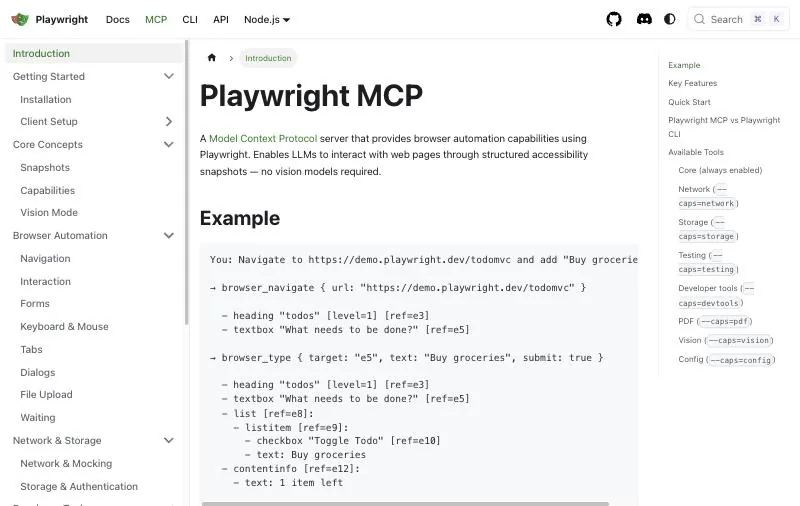
It is the most widely used browser MCP server: the repository has 38.4k stars, is Apache-2.0 licensed, and ships about 70 tools, from browser_navigate and browser_click to network mocking, cookies, tracing and video. It drives Chromium, Chrome, Edge, Firefox and WebKit, and needs Node.js 18 or newer. Adding it to Claude Code is one command:
claude mcp add playwright npx @playwright/mcp@latestOther clients take the same server as a JSON entry with "command": "npx" and "args": ["@playwright/mcp@latest"]. By default it opens a visible browser with a persistent profile for each workspace; --headless, --isolated and --extension (connect to your running Chrome or Edge) change that.
Why developers look for a Playwright MCP alternative
- Context cost. Every action returns a fresh accessibility snapshot, and the tool definitions load into context too. The Playwright team itself now says coding agents "might benefit from using the CLI+SKILLS instead" because CLI calls avoid "loading large tool schemas and verbose accessibility trees into the model context."
- Debugging, not driving. It can read console messages and network requests, but it is not a profiler. Performance traces and Core Web Vitals need Chrome DevTools.
- Your signed-in browser. The default profile is a separate browser. Reusing your own sessions means installing an extension or pointing it at a profile.
- Parallel agents. A persistent profile can be used by one browser at a time, so several agents in the same workspace need
--isolatedor separate profiles. - Anything outside the browser. It automates web pages only. Desktop apps, native dialogs and remote desktops are out of reach.
Four kinds of Playwright MCP alternatives
The alternatives solve different problems, so sort them before you compare features:
- Local browser MCP servers. Like Playwright MCP, they start or attach to a browser on your machine: Chrome DevTools MCP, Browser MCP and Selenium MCP.
- Browser CLIs for coding agents. Not MCP servers: the agent runs shell commands and reads short results, with a skill file that teaches it the commands. Playwright CLI and agent-browser.
- Cloud browser MCP servers. The browser runs on the vendor's infrastructure, often with an AI layer that turns "click the login button" into actions: Browserbase MCP and Browser Use MCP.
- Computer-use MCP servers. The agent sees a whole screen and uses the mouse and keyboard, so desktop apps are in scope as well as websites: the Sai MCP server.
How we evaluated
- What it can drive. Which browsers, and whether anything outside the browser.
- Where it runs. Your machine, the vendor's cloud, or both, and whether it can use your signed-in sessions.
- Context cost. How much the agent has to read per step: full snapshots, short command output, or a summary from another model.
- Setup. The command to add it to Claude Code or another MCP client, and any keys it needs.
- Maintenance. License, latest release and whether the project is still active.
Comparison summary
| Tool | Best for | Drives | Runs where | Needs | License |
|---|---|---|---|---|---|
| Playwright MCP (baseline) | General browser automation from an agent | Chromium, Chrome, Edge, Firefox, WebKit | Your machine | Node.js 18+ | Apache-2.0 |
| Sai MCP server | Steps outside the browser, such as desktop apps | Any app on screen, including browsers | Sai cloud computer or your own Mac or Windows PC | Sai API key (free plan) | Proprietary service |
| Chrome DevTools MCP | Debugging and performance | Chrome and Chrome for Testing | Your machine | Node.js LTS, current Chrome | Apache-2.0 |
| Playwright CLI | Coding agents short on context | Playwright's browsers | Your machine | npm package, skill install | Apache-2.0 |
| agent-browser | A fast native browser CLI for agents | Chrome for Testing | Your machine | npm, Homebrew or Cargo | Apache-2.0 |
| Browser MCP | Your own signed-in Chrome | The tab you connect | Your machine | Chrome extension | Apache-2.0 |
| Browserbase MCP | Cloud browsers with natural-language actions | Browserbase cloud browsers | Hosted or local server, cloud browser | Browserbase API key | Hosted service |
| Browser Use MCP | Handing a whole web task to an agent | Chromium via Browser Use | Your machine or Browser Use cloud | OpenAI or Anthropic key (local) | Open source (local server) |
| Selenium MCP | Teams already on Selenium WebDriver | Chrome, Firefox, Edge, Safari | Your machine | Node.js, browser drivers | MIT |
The 8 best Playwright MCP alternatives in 2026
1. Sai MCP server: best when the step is not in a browser
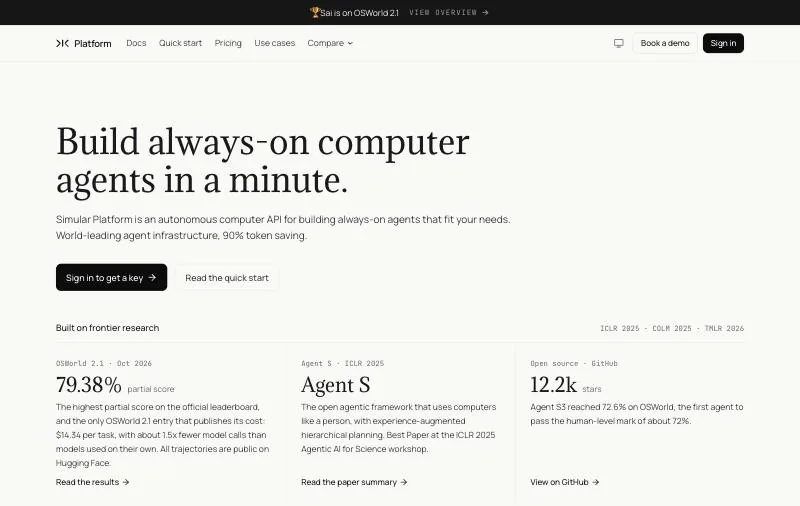
Drives: Anything on screen: desktop apps, websites, file dialogs, remote desktops.Runs on: A Sai cloud computer (Windows or Linux), or your own Mac or Windows PC.Pricing: Free plan with a shared Windows cloud computer and daily limits; Pay as you go $50/month (pricing).
Every other tool on this list automates a browser. The Sai MCP server gives your coding agent a computer-use agent instead: Sai looks at the screen, clicks and types, so a database GUI, a vendor installer, an OAuth consent page and a web dashboard are all the same kind of task. Your coding agent keeps the code and hands Sai only the step it cannot reach, then checks what Sai reports back.
It works in Claude Code, Codex, Cursor and any stdio MCP client. Sign-ins and other sensitive steps are never typed by the agent; they go to you as an approval. On reliability, Sai has the highest partial score on the official OSWorld 2.1 leaderboard for computer-use agents, 79.38%, and is the only entry that publishes its cost, $14.34 per task (see the results).
claude mcp add sai -e SAI_API_KEY=sapi_YOUR_KEY -- npx -y @simular-ai/sai-mcpKey strengths
- Desktop apps and native dialogs, not only web pages.
- Runs on a cloud computer that keeps going when your laptop is closed, or on your own machine.
- Built-in approvals for sign-ins, saving, sending and deleting.
- Steps it has done can be saved and replayed as code, so repeat handoffs are faster.
Limitations
- Slower and more expensive per step than Playwright MCP on a plain web page, because a model reads the screen.
- No DOM, network or console access: for front-end debugging, pair it with Chrome DevTools MCP.
- Needs a Sai account and API key; the free plan has daily limits and one task per computer at a time.
Best for: coding agents that get stuck on a step with no browser path, such as a desktop app, an installer or a remote desktop.
2. Chrome DevTools MCP: best for debugging and performance
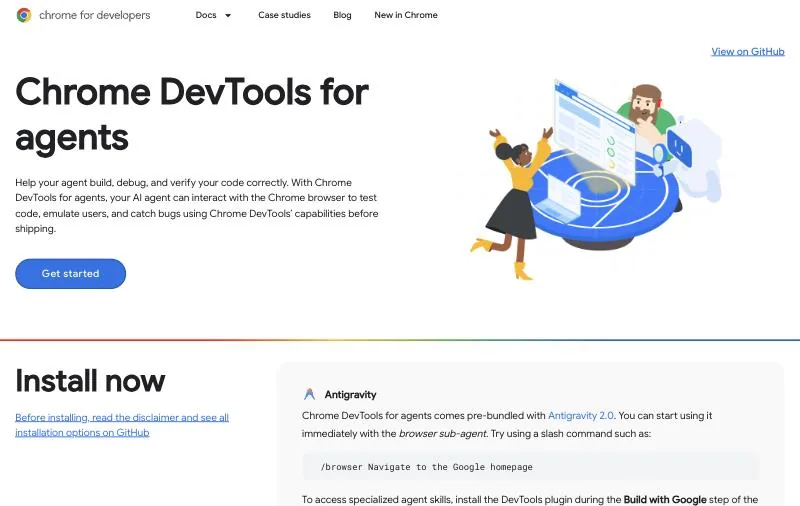
Made by: The Chrome DevTools team at Google.Status: v1.11.0, Apache-2.0, 53.8k stars.Drives: Google Chrome and Chrome for Testing.
Chrome DevTools MCP, which Google now presents as Chrome DevTools for agents, gives a coding agent the DevTools panels: it records performance traces and extracts insights from them, reads network requests and console messages with source-mapped stack traces, and takes screenshots. Actions are automated with Puppeteer, which waits for their results. It also ships a CLI for use without MCP, and a --slim mode with fewer tools for basic browsing.
{
  "mcpServers": {
    "chrome-devtools": {
      "command": "npx",
      "args": ["-y", "chrome-devtools-mcp@latest"]
    }
  }
}
Key strengths
- Performance traces with actionable insights, which are not Playwright MCP's focus.
- Network and console data with source-mapped stack traces.
- Can connect to a Chrome you already have running instead of starting a new one.
Limitations
- Officially supports Google Chrome and Chrome for Testing only; no Firefox or WebKit.
- Google collects usage statistics by default (opt out with
--no-usage-statistics), and performance tools may send trace URLs to the CrUX API (--no-performance-cruxturns that off).
Best for: front-end work where the agent needs to find out why a page is slow or broken, not just click through it.
3. Playwright CLI: best for coding agents short on context
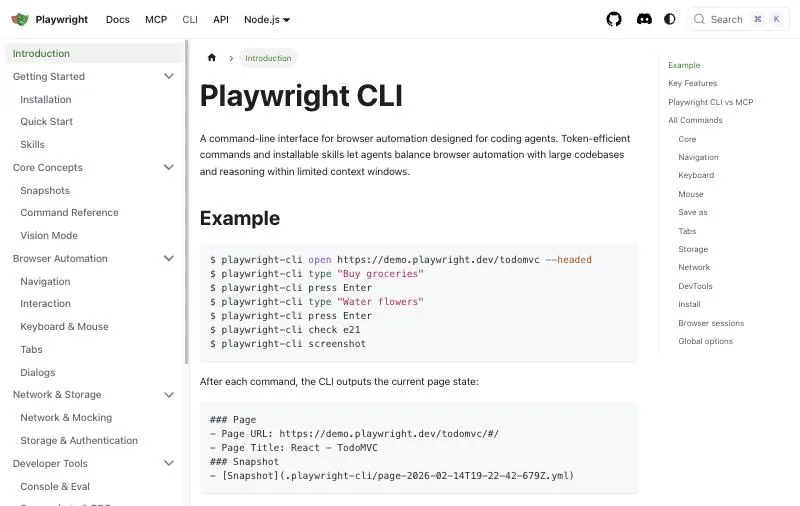
Made by: Microsoft, the Playwright team.Package: @playwright/cli on npm (command playwright-cli).Drives: Playwright's browsers.
Playwright CLI is the alternative the Playwright MCP README points coding agents to. The agent runs short commands such as playwright-cli open https://demo.playwright.dev/todomvc --headed or playwright-cli check e21, and each snapshot is saved as a YAML file in .playwright-cli/ instead of being pasted into the conversation. A skill teaches the agent the commands:
playwright-cli install --skillsKey strengths
- Same Playwright engine and element references, with far less in the context window per step.
- No MCP server to configure; skills install for Claude Code by default, or in
.agents/skills.
Limitations
- Needs an agent that can run shell commands. Chat apps without a terminal still need MCP.
- Version 0.1.x, so expect the commands to change.
Best for: Claude Code, Codex and similar agents doing browser checks alongside a large codebase.
4. agent-browser (Vercel): best native browser CLI for agents
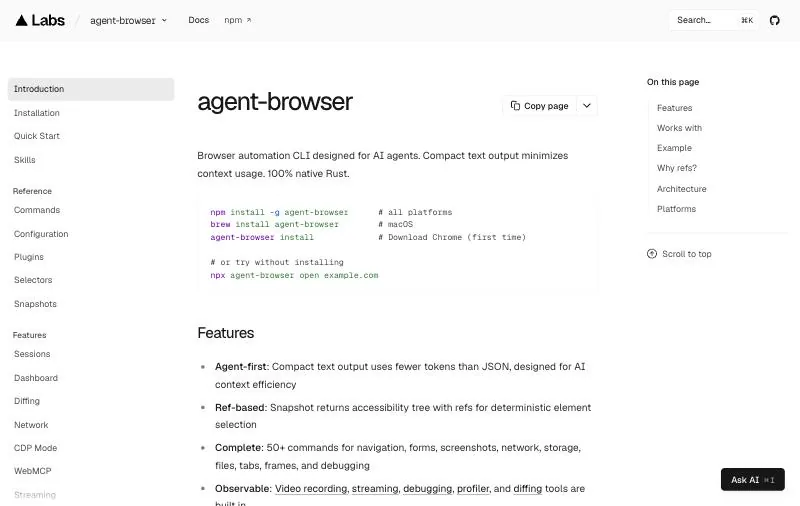
Made by: Vercel Labs.Status: Apache-2.0, 44.2k stars.Drives: Chrome for Testing, downloaded on first install.
agent-browser is a browser automation CLI for AI agents written as a native Rust binary. Like Playwright CLI, it trades MCP tool calls for shell commands with short output. Install it once and let it download Chrome:
npm install -g agent-browser
agent-browser install
Key strengths
- Fast native CLI; also installs with Homebrew or Cargo.
- 44.2k stars on GitHub.
Limitations
- A CLI, so the same caveat as Playwright CLI: the agent needs a shell.
- Its own command set, separate from the Playwright API your tests use.
Best for: teams that want a CLI-first browser for agents and do not need Playwright's cross-browser engines.
5. Browser MCP: best for your own signed-in Chrome
Made by: The Browser MCP project.Status: Apache-2.0, 7.2k stars; last changelog entry v1.3.4, May 7, 2025.Drives: The Chrome tab you connect.
Browser MCP is an MCP server plus a Chrome extension. It was adapted from Playwright MCP so that it automates your browser rather than a new one, which keeps you signed in to your services and, the project says, avoids basic bot detection. You click Connect in the extension, and all actions run on that tab.
{
  "mcpServers": {
    "browsermcp": {
      "command": "npx",
      "args": ["@browsermcp/mcp@latest"]
    }
  }
}
Key strengths
- Uses your real profile and sessions, with no new browser to sign in to.
- Runs locally, so browsing data stays on your machine.
Limitations
- The changelog has had no entry since May 2025, and the public repo cannot be built on its own.
- Acts on one connected tab, with access to everything you are signed in to. Keep it away from accounts you would not hand to an agent.
Best for: quick personal tasks on sites you are already signed in to. Playwright MCP's own --extension mode is the maintained way to do the same.
6. Browserbase MCP: best for cloud browsers with natural-language actions
Made by: Browserbase.Tools: 6: navigate, act, observe, extract, start, end.Needs: A Browserbase API key; default model google/gemini-2.5-flash-lite.
Browserbase MCP runs browsers on Browserbase's infrastructure and is built on Stagehand, so the agent sends instructions such as "click the login button" and Stagehand works out the element. It is offered as a hosted Streamable HTTP server at https://mcp.browserbase.com/mcp or locally with npx @browserbasehq/mcp.
claude mcp add --transport http browserbase "https://mcp.browserbase.com/mcp?browserbaseApiKey=YOUR_BROWSERBASE_API_KEY"Key strengths
- Nothing runs on your machine; sessions can be created, reused and closed as tools.
- Six high-level tools instead of dozens, which keeps the tool list short.
Limitations
- Sessions use Browserbase browser time, and
actandextractalso make model calls. - The docs call the query-string key above a deprecated fallback; use an Authorization header where your client supports it.
Best for: agents that run where there is no local browser, such as servers and CI. See also Browserbase vs Sai API.
7. Browser Use MCP: best for handing a whole web task to an agent
Made by: Browser Use.Local server: free and open source, over stdio.Hosted: a cloud MCP server that needs only a Browser Use API key.
Browser Use MCP exposes both direct browser tools (navigate, click, type, tabs, extract content, screenshot) and retry_with_browser_use_agent, which hands the whole task to the Browser Use agent. The local server needs your own OpenAI or Anthropic key:
claude mcp add browser-use -- uvx --from 'browser-use[cli]' browser-use --mcpKey strengths
- Two levels of control: single actions, or a goal for an autonomous agent.
- Local and free, or hosted with no setup.
Limitations
- The local server needs Python tooling (
uvx) and a model key. - The agent tool runs a second model, so cost and behavior depend on it.
Best for: multi-step web tasks where you would rather describe the goal than script each click. See also Browser Use vs Sai API.
8. Selenium MCP: best for teams already on Selenium
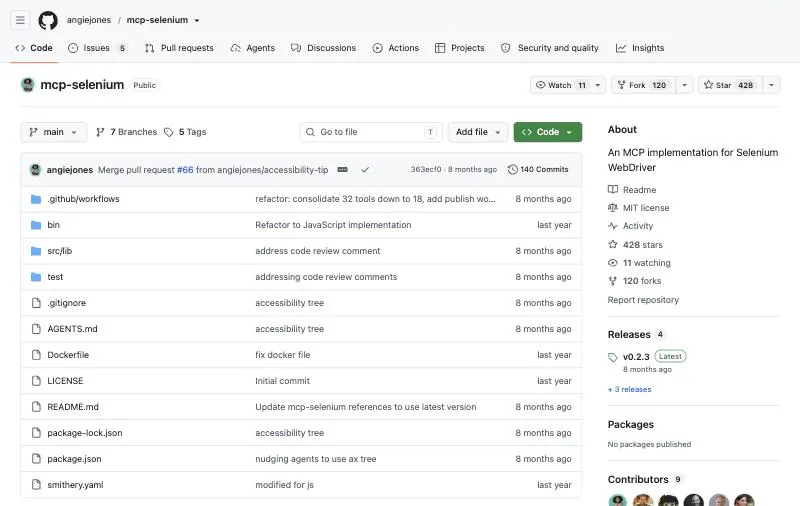
Made by: Angie Jones and contributors.Status: v0.2.3, MIT, 428 stars.Drives: Chrome, Firefox, Edge and Safari.
Selenium MCP wraps Selenium WebDriver in an MCP server. Tools such as start_browser, interact, send_keys and take_screenshot find elements with classic locators: id, CSS, XPath, name, tag or class.
claude mcp add selenium -- npx -y @angiejones/mcp-selenium@latestKey strengths
- Uses WebDriver, so it fits existing Selenium grids, drivers and habits.
- Safari support on macOS.
Limitations
- The agent has to come up with locators, which is harder than acting on an accessibility snapshot.
- Small project; Safari needs one-time setup and has no headless mode.
Best for: QA teams with Selenium infrastructure who want an agent to use it.
Puppeteer MCP and other servers to avoid
The reference Puppeteer MCP server from the Model Context Protocol project was archived on May 29, 2025, and its npm package @modelcontextprotocol/server-puppeteer is marked deprecated. It still appears in older guides with tools such as puppeteer_navigate and puppeteer_click, but it receives no fixes. Use Chrome DevTools MCP, which is built on Puppeteer and maintained by the Chrome team, instead. Before adding any browser MCP server, check the date of its last release.
Playwright MCP vs Chrome DevTools MCP
These two are not really rivals. As Steve Kinney puts it, "Playwright drives. Chrome DevTools debugs." (source).
| Playwright MCP | Chrome DevTools MCP | |
|---|---|---|
| Main job | Driving user flows | Inspecting and profiling a page |
| Browsers | Chromium, Chrome, Edge, Firefox, WebKit | Chrome and Chrome for Testing |
| Performance insights | Not its focus | Yes, from recorded traces |
| Network mocking | Yes (route tools) | Not its focus |
| Engine | Playwright | Puppeteer and DevTools |
Many developers run both: Playwright MCP to reproduce a flow, Chrome DevTools MCP to find out why it is slow.
How to choose a Playwright MCP alternative
- The agent is running out of context: switch to Playwright CLI with its skill, or agent-browser.
- You are debugging a slow or broken page: add Chrome DevTools MCP.
- The agent must use sites you are signed in to: Playwright MCP's
--extensionmode, or Browser MCP. - There is no local browser, such as on a server: Browserbase MCP or the hosted Browser Use MCP.
- You want to describe a goal, not each click: Browser Use MCP's agent tool.
- Your tests already run on Selenium: Selenium MCP.
- The step is in a desktop app, a native dialog or a remote desktop: the Sai MCP server.
- None of the above: keep Playwright MCP. It is free, maintained and the most capable general option.
Install commands, tool lists, licenses and versions checked on each project's README or documentation on October 18, 2026. The Sai MCP server is made by Simular, the publisher of this page.